
DHS Shelter
Request Form
A collaborative multi-level shelter request system for NYC's Department of Homeless Services — a Client Tracker application enabling case workers to manage client information, calculate subsidies, process housing packages, and route requests through a multi-level approval chain across all five boroughs.
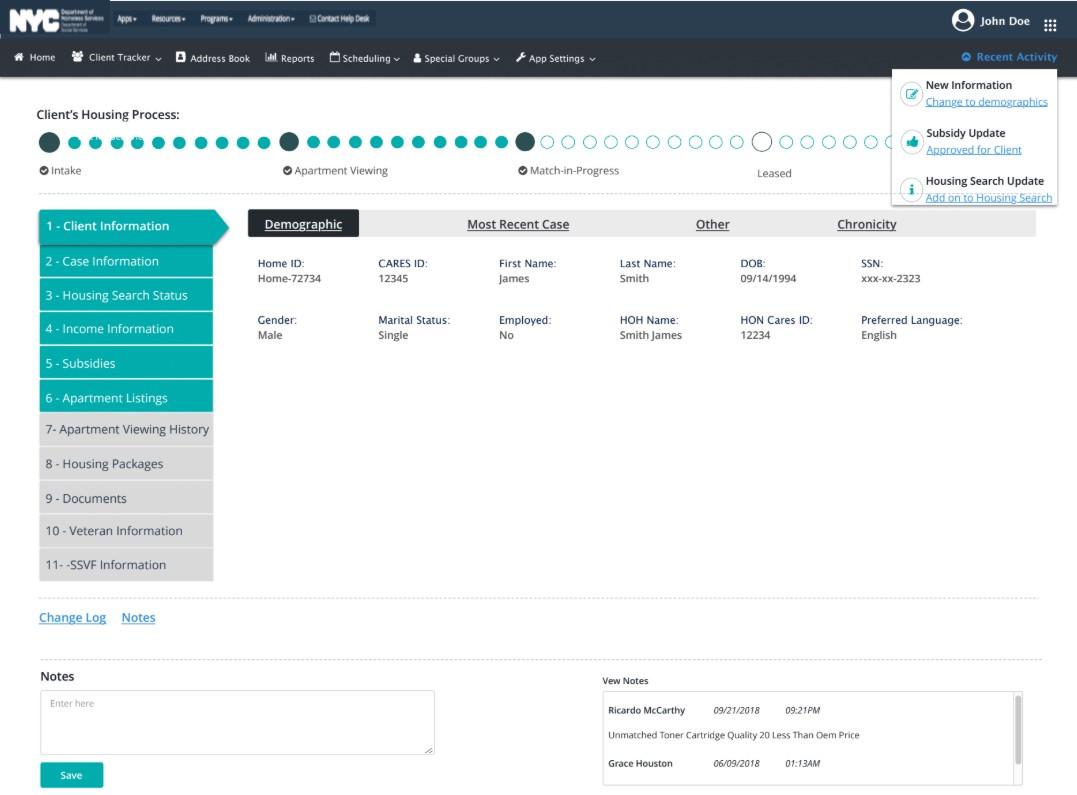
A multi-section Client Tracker with a 4-level approval workflow — handling client intake, subsidy calculation, housing package submission, and document management across NYC's 5 boroughs.
Client Information & Subsidy Calculator
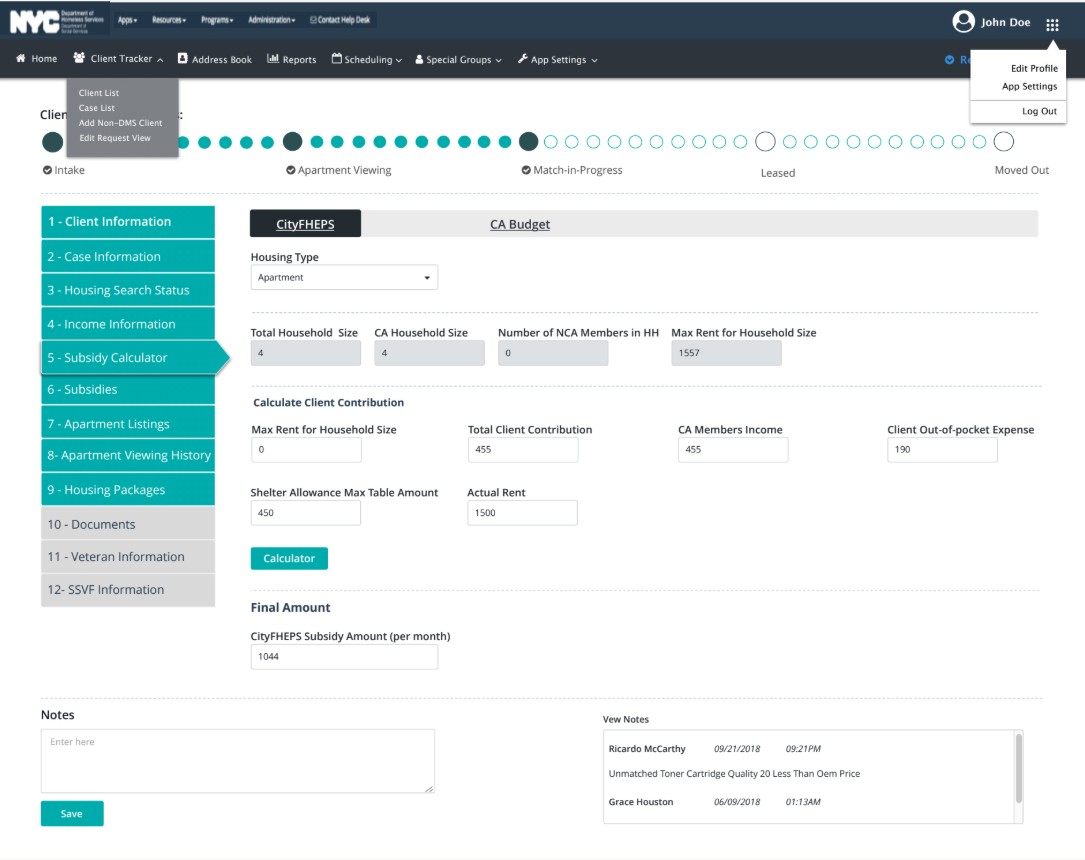
The Client Tracker is the central hub for case workers. The Client Information tab captures all demographic data — Home ID, CARES ID, DOB, SSN, employment, marital status, and language preference — with a housing process progress bar at the top tracking each client's stage from Intake through Moved Out. The Subsidy Calculator tab computes CityFHEPS and CA Budget subsidy amounts based on household size, income, and rent inputs.
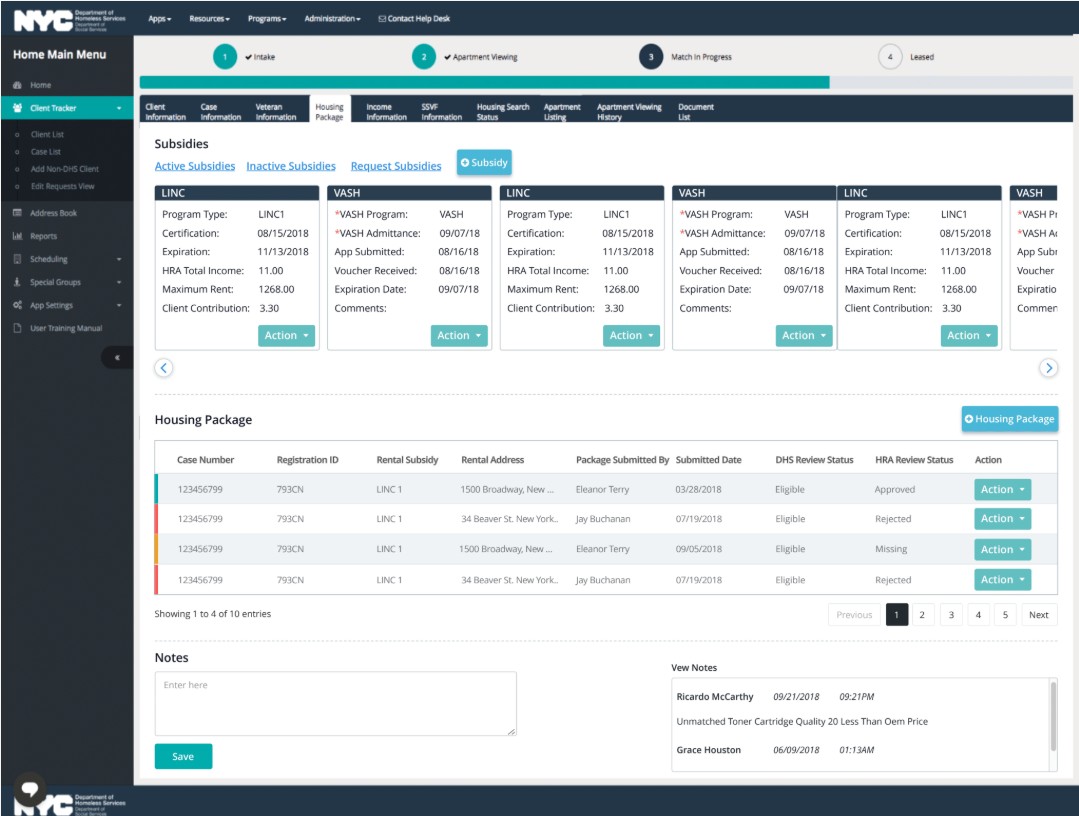
LINC and VASH subsidy management with housing package table
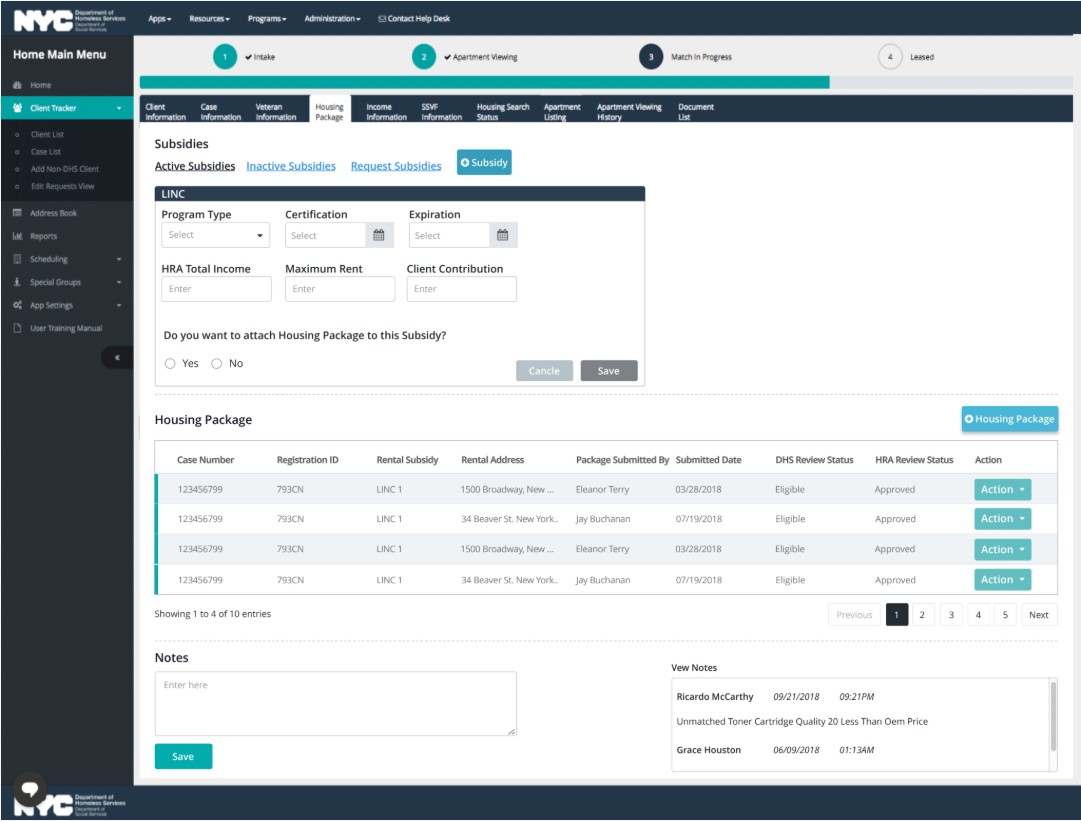
The Subsidies section handles the full lifecycle of rental assistance programs. Case workers can add new LINC or VASH subsidies via an inline form, then view all active subsidies as scrollable cards — each showing program type, certification dates, HRA income, maximum rent, and client contribution. Below sits the Housing Package table tracking DHS and HRA review statuses per application.
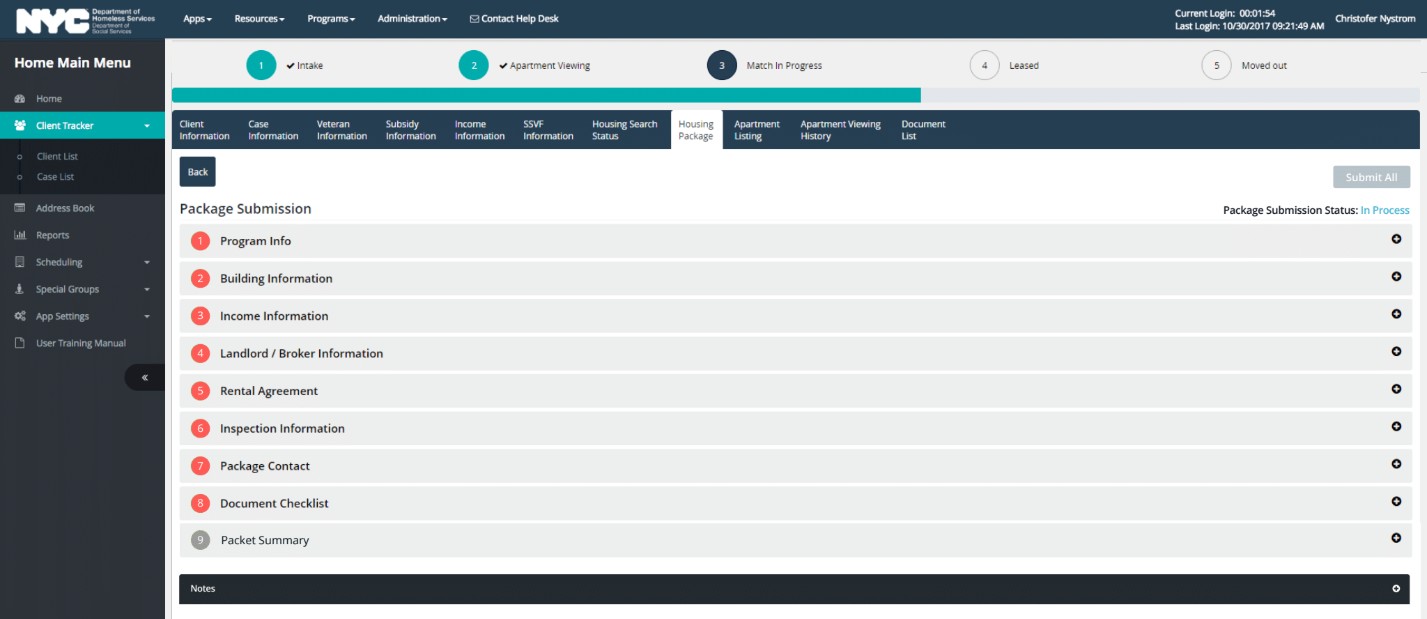
9-section accordion with real-time submission status
The Housing Package tab is where case workers compile everything needed for a formal shelter or housing placement request. All nine sections collapse into a clean accordion — Program Info, Building Information, Income Information, Landlord/Broker Information, Rental Agreement, Inspection Information, Package Contact, Document Checklist, and Packet Summary. The submission status ("In Process") is displayed persistently in the top-right corner, and each section can be expanded independently.
Client Tracker · Subsidies · Housing Package
Every request reviewed by four roles before placement
Once a Housing Package is submitted, it enters a sequential approval queue. No level can be skipped — each approver reviews documents and housing package details, adds notes visible to all subsequent reviewers, and can approve, request more information, or defer. Final placement authority rests with the Senior Case Manager.
Designed for the daily reality of case workers
- Housing process progress bar — persistent strip at the top of every client view showing stage from Intake → Apartment Viewing → Match-in-Progress → Leased → Moved Out
- 12-section left navigation — all client record sections visible at a glance; active section highlighted in teal; case workers can jump to any section without losing context
- Subsidy calculator tabs — CityFHEPS and CA Budget calculations separated by tab, with all inputs visible simultaneously for cross-checking
- Subsidy card carousel — active LINC and VASH cards scroll horizontally, each showing all key dates and amounts without expanding
- Housing Package accordion — all 9 submission sections visible as collapsed rows; each expands independently, with the overall status persistently displayed top-right
- Notes section on every screen — case workers can add timestamped notes from any tab, with a "View Notes" history panel always visible alongside
Two designers, Angular Material, no direct users
- Worked alongside a second designer — split responsibility across the 12 tracker sections, with daily syncs to maintain component consistency
- All UI components required to use the Angular Material library — no custom widgets allowed outside the approved component set
- No direct access to end users — all requirements and feedback came through Business Analysts as the sole proxy for user needs
- Multiple user roles needed to be served by the same interface — case workers, supervisors, program directors, and senior managers
- Weekly Work Pod walkthroughs with BAs, Dev, and QA to surface edge cases before handoff
From BRD to annotated Angular Material handoff
| Phase | Activities | Outputs |
|---|---|---|
| Requirement Analysis | Reviewed BRDs with BAs; mapped all 12 client tracker sections and the 4-level approval workflow | Workflow map, stakeholder roles matrix |
| Flow Architecture | Mapped information flow across sections; identified which data from earlier steps feeds into subsidy calc and housing package | User flow diagrams, data dependency map |
| Collaborative Design | Split 12 sections with second designer; daily syncs on left-nav, progress bar, and shared note components | Wireframes, shared Figma component library |
| Hi-Fi Execution | High-fidelity screens across all tabs — Client Info, Subsidy Calc, Subsidies, Housing Package — using Angular Material | Complete hi-fi screen set per section |
| BA Review & Iteration | Weekly Work Pod walkthroughs; refined subsidy card layout and housing package accordion based on BA edge case feedback | Revised screens, annotation updates |
| Dev Handoff | Annotated specs with Angular Material component references, state transitions, and data validation rules | Dev specs, component annotations |